How to Add a Podcast Link to Your Lnkk.it

Adding your podcast to Lnkk.it makes it easier than ever for listeners to find, stream, and engage with your show — all in one place.
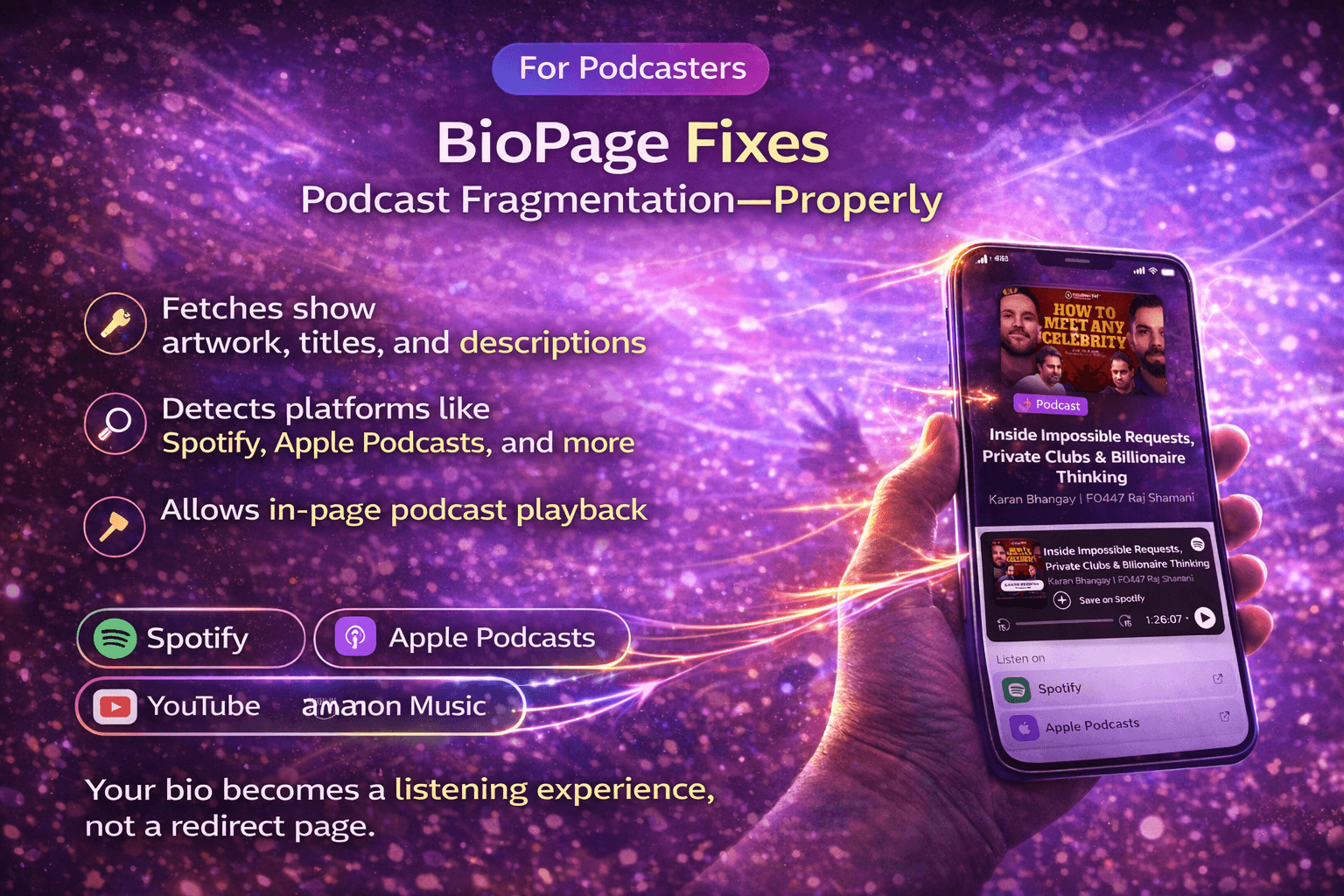
Lnkk.it doesn’t just add a button — it intelligently recognizes your podcast, fetches metadata like artwork and episode info, and displays supported platforms automatically.
Here’s how to do it:
Step 1 — Log in to Your Lnkk.it
Visit https://lnkk.it
Click Log In
Enter your account credentials
Your Lnkk.it editor should open automatically after login.
Step 2 — Open the Page Editor
From your Lnkk.it dashboard, click Links.
You’ll see your current links, blocks, and content sections.
Step 3 — Add a New Podcast Link Block
Click the “+ Add” button
Search Podcast (or Podcast Link / Audio Block — depending on your plan)
A new podcast section will be inserted into your page layout
Step 4 — Enter Your Podcast URL
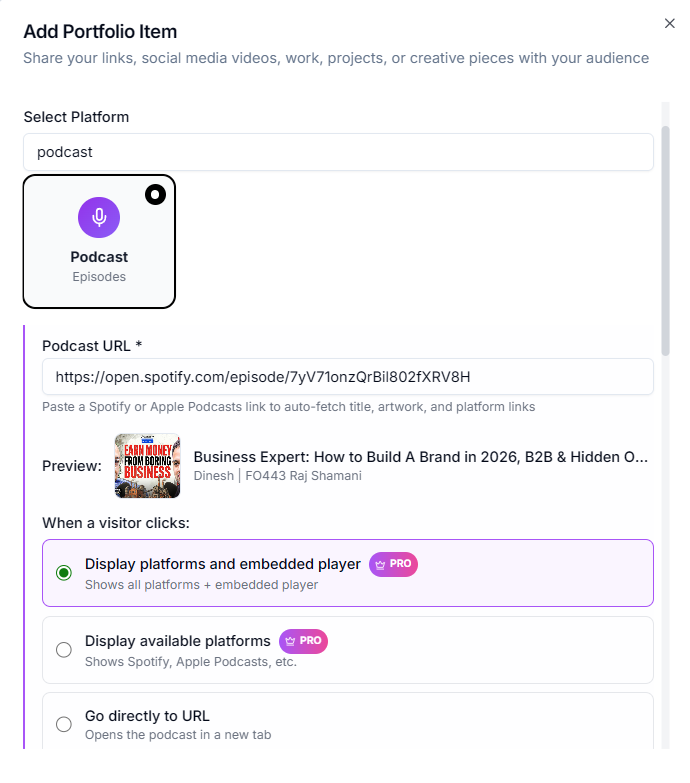
In the Podcast block:
Paste the URL of your podcast’s main page — for example:
A Spotify podcast link
An Apple Podcasts show link
A link to your podcast’s primary feed (RSS)
A link from a hosting service like Anchor, Buzzsprout, Castbox, etc.
Click Submit or Add Link
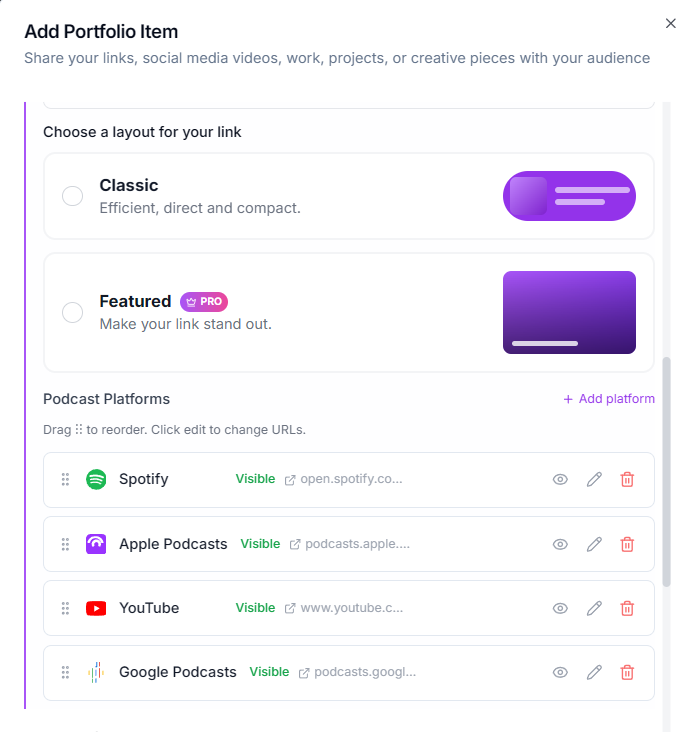
Lnkk.it will then automatically:
✅ Fetch your podcast artwork
✅ Grab the show title & description
✅ Detect available listening platforms
✅ Generate smart deep links
Step 5 — Arrange Your Podcast Block
You can now:
Drag the podcast block higher or lower to reorder
Highlight it as a Featured section
Add custom headings like Listen to the Podcast or New Episodes
Step 6 — Save & Publish
When you’re done:
Click Save
Click Publish
Your Lnkk.it will instantly update live
Visitors will now see a beautiful podcast section with embedded play buttons and links to multiple platforms.
Tips for Best Results
🔹 Use the main show link — not individual episode links — so Lnkk.it can pull complete metadata.
🔹 If you change your podcast link in the future, just paste the new URL and save again.
🔹 Highlight your latest episode using the “Featured” design style for better engagement.
What Your Listeners Will See
Once your podcast is added, visitors will get:
🎧 Show artwork and title
📄 Description
⏯️ In-page play buttons (when supported)
📍 Smart links to:
Spotify
Apple Podcasts
YouTube (if available)
Google Podcasts
Amazon Music
Other platforms
Lnkk.it becomes a listening portal, not just a redirect.
Frequently Asked Questions
Q: Can I add more than one podcast?
Yes. Add multiple Podcast blocks, or use a playlist/featured block to showcase episodes.
Q: Will this work on mobile?
Yes — Lnkk.it is mobile-first, so podcast links and players look great on phones.
Q: Does Lnkk.it auto-update my podcast info?
Yes — if you use your main podcast URL, new episodes and artwork updates are automatically refreshed.
YOU MAY ALSO LIKE
How to Embed Typeform on Your Bio Link Page (Step-by-Step Guide)
Learn how to embed Typeform surveys, quizzes, and application forms directly on your Lnkk.it bio page. Collect leads, feedback, and applications without visitors ever leaving your profile.
How to Add Books to Your Lnkk.it: The Complete Step-by-Step Guide for Authors
Learn exactly how to add your books to Lnkk.it with this complete step-by-step guide. Display beautiful covers, link to multiple retailers, and give readers the buying experience they want.