Introducing the Lnkk.it Chrome Extension: Shorten URLs & Generate QR Codes Without Leaving Your Browser

You're in the middle of writing a caption. You've got the perfect hook, the emoji game is strong, and you're ready to drop the link.
Then you look at it:
https://yourstore.com/collections/spring-2026/products/handmade-ceramic-mug-set?variant=4839201738&utm_source=instagram&utm_medium=story&utm_campaign=spring_launch&ref=creator_123No. Nobody is clicking that. Nobody is trusting that.
So you open a new tab. Navigate to your link shortener. Paste the URL. Wait for it to load. Copy the result. Switch back to your post. Paste.
That workflow just stole 45 seconds of your life. Multiply that by every post, every story, every DM, every tweet — and you've lost hours every month to a problem that shouldn't exist.
That's exactly why we built the Lnkk.it Chrome Extension.
What Is the Lnkk.it Chrome Extension?
The Lnkk.it Chrome Extension is a free browser tool that lives in your toolbar and lets you:
⚡ Shorten any URL in one click — no tab-switching, no copy-pasting
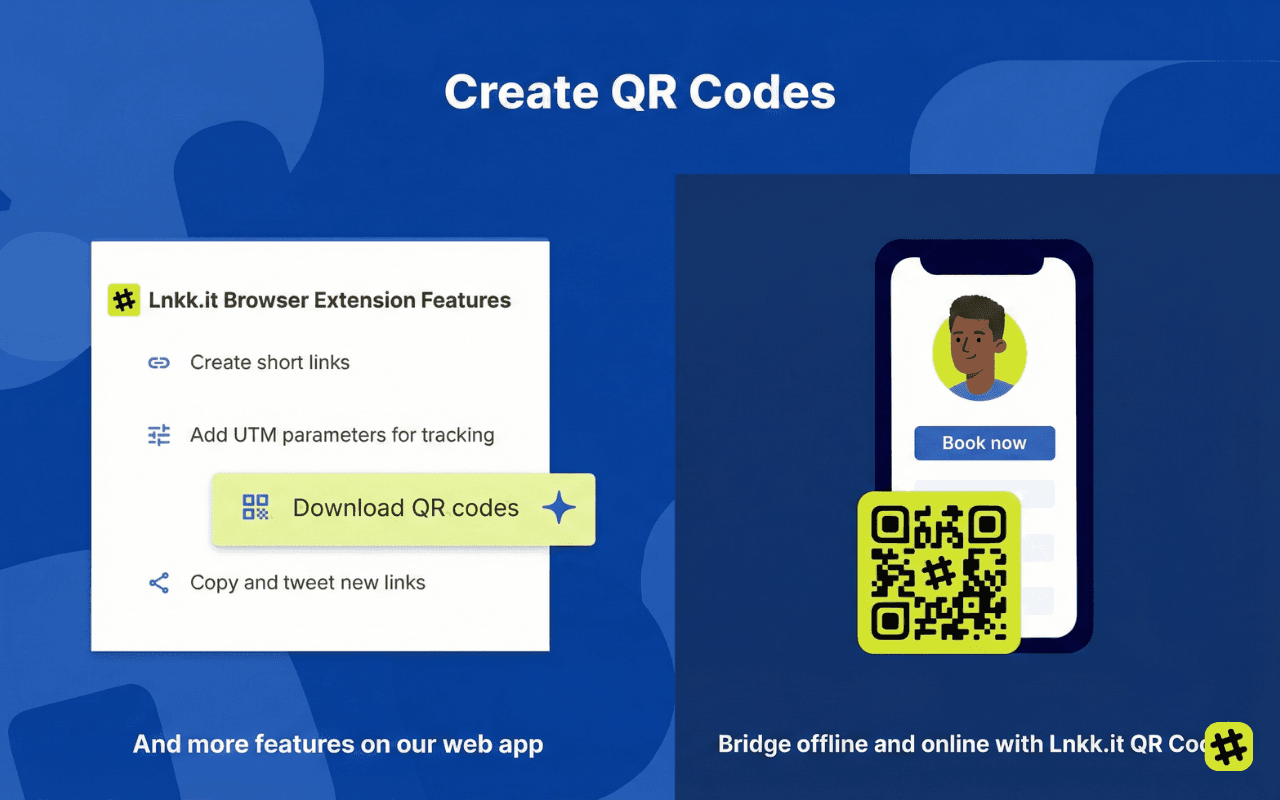
📱 Generate downloadable QR codes instantly
🏷️ Create custom branded aliases (Pro users)
📊 View click analytics on every link you create
📋 Copy short links to clipboard with a single tap
🔗 Auto-detect the current page URL so you don't even have to paste
It works on Chrome, Brave, Edge, and any Chromium-based browser. Install it once, and every URL you encounter is one click away from becoming a clean, trackable short link.
Why You Need a URL Shortener in Your Browser (Not Just a Website)
Most people shorten links on a website. Open a tab, paste the URL, copy the result, go back to what you were doing. It works — but it's slow, disruptive, and breaks your flow.
A browser extension changes everything because:
1. It meets you where you already are
You're already browsing. Why leave to shorten a link? The extension detects the URL of your current tab automatically.
2. It's faster than any web app
One click. The extension auto-fills the URL, you hit "Shorten," and the short link is on your clipboard before you can say "link in bio." We're talking under 3 seconds, every time.
3. You never forget to shorten
When the shortener is always visible in your toolbar, it becomes a habit. No more "I'll shorten it later" (you won't).
4. It works with everything
Blog post you want to share? Shorten it. Product page for a client? Shorten it. Google Doc for your team? Shorten it. Anything with a URL becomes cleaner and trackable.
A Tour of Every Feature
Let's walk through exactly what happens when you click the Lnkk.it icon in your browser toolbar.
🔑 Smart Login
When you first open the extension, you'll see a beautifully designed login screen. Click "Log in" and you're taken to Lnkk.it's login page — sign in with email, password, Google OAuth, or even a magic link. The extension seamlessly captures your session, so you only need to log in once.
Don't have an account? The "Sign up free" link gets you started in under 60 seconds.
⚡ One-Click URL Shortening
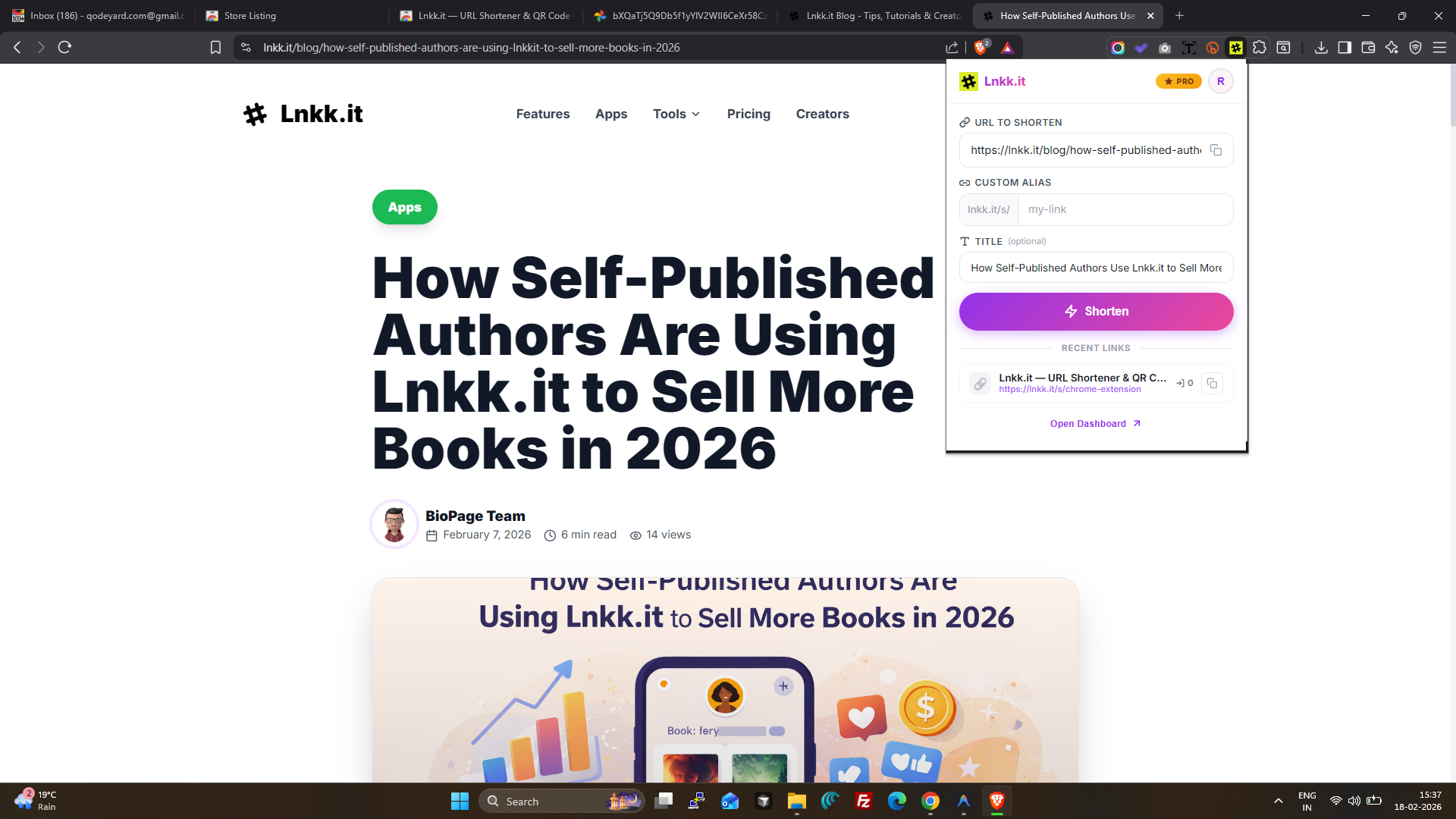
Once logged in, the extension automatically detects the URL of your current browser tab and fills it into the input field. You can also:
Paste any URL using the clipboard paste button
Type a URL manually if you're working with a link you haven't visited yet
Add a title (optional) to make your links easier to identify later
Hit the "Shorten" button, and within a second, your short link is ready: lnkk.it/s/abc123.
🏷️ Custom Aliases (Pro Feature)
Free users get auto-generated short codes. Lnkk.it Pro users can set custom aliases:
lnkk.it/s/spring-salelnkk.it/s/my-portfolio
lnkk.it/s/podcast-ep12
Custom aliases are branded, memorable, and professional. They tell people exactly where the link goes before they even click it. The extension shows a subtle ⭐ PRO badge when you're upgraded, and the alias input unlocks automatically.
📋 Instant Copy to Clipboard
The moment your short link is created, a prominent Copy button appears. One tap and the link is copied to your clipboard — ready to paste into your Instagram caption, email, Slack message, or anywhere else.
A satisfying checkmark animation confirms the copy, so there's zero ambiguity.
📱 QR Code Generation & Download
Every short link you create in the extension comes with a QR code. Click the "QR Code" button, and a beautiful modal appears with a downloadable QR code image.
Why this matters:
Restaurants and cafés can generate QR codes for menus or Wi-Fi passwords
Event organizers can create QR codes for registration pages
Creators can slap a QR code on a business card, poster, or merch
Marketers can bridge offline and online campaigns instantly
Hit "Download QR" and the image saves directly to your device. No third-party QR generator needed.
📊 Click Analytics
Want to know how many people clicked your link? The "Stats" button shows real-time click counts for any link you've created. Pro users get access to deeper analytics on the Lnkk dashboard — including geographic data, device breakdown, and referrer tracking.
🕐 Recent Links Feed
Below the shortener, you'll see your Recent Links — the last few links you've created. Each one shows:
The shortened URL
The original destination (truncated for readability)
Total click count
Quick-access copy button
This means you never have to dig through your dashboard to find a link you just created. It's right there, every time.
🎨 Polished User Experience
We obsessed over every pixel. The extension features:
Smooth loading animations with a branded spinner
Animated background shapes on the login screen
Glassmorphism effects and subtle gradients
Skeleton loading states so nothing feels jarring
Dark headers and clean typography using Inter font
A beautiful user menu with your avatar initial, email, and quick links to your dashboard
This isn't a "utility" extension that looks like it was built in 2012. It feels like a modern app — because that's what you deserve.
Who Is This For?
Content Creators
You live on short links. Every caption, every story, every newsletter needs a clean URL. The extension means you never have to leave your workflow to grab one.
Social Media Managers
Managing 5+ clients? You're shortening dozens of links a week. The extension saves you from the endless tab-switching and remembers your recent links for easy re-access.
Marketers & Growth Teams
UTM-tagged URLs are beautiful for analytics but ugly for humans. Shorten them, track them, and share them — all from the toolbar. The QR code feature is a bonus for offline campaigns.
Small Business Owners
Sharing product pages on WhatsApp? Sending menu links to customers? A clean lnkk.it/s/our-menu looks infinitely more professional than a 200-character Shopify URL.
Anyone Who Shares Links
If you've ever shared a URL — on email, Slack, Discord, or a group chat — you'll use this extension. It's that universally useful.
Free vs. Pro: What Do You Get?
FeatureFreeProShorten URLs✅ Unlimited✅ UnlimitedCopy to clipboard✅✅Recent links feed✅✅QR code generation✅✅Custom aliases❌✅Click analytics (basic)✅✅Deep analytics (geo, device, referrer)❌✅Branded link pages❌✅
The free tier is genuinely powerful. You can shorten URLs, generate QR codes, and track basic click counts without paying a cent. Pro unlocks custom aliases, deep analytics, and additional features across the entire Lnkk.it platform — including your link-in-bio page, integrated shop, and booking system.
How to Install the Lnkk Chrome Extension
Getting started takes about 30 seconds:
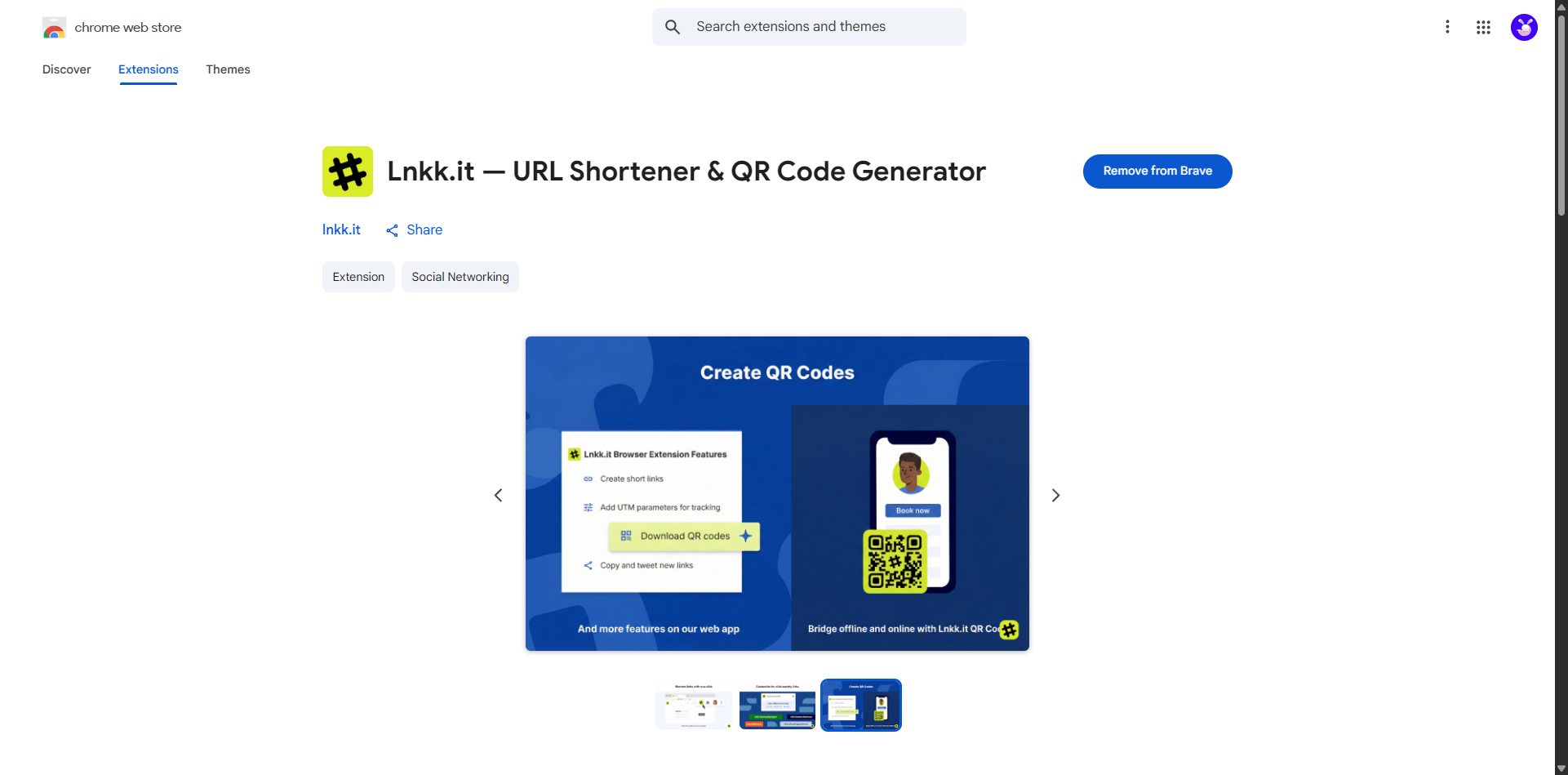
Visit the Chrome Web Store — Search for "Lnkk" or go directly to the extension page
Click "Add to Chrome" (or "Add to Brave" if you're on Brave browser)
Pin the extension — Click the puzzle piece icon in your toolbar and pin for quick access
Log in — Click the icon, hit "Log in," and sign in with your account
Start shortening — Visit any page and click the icon. That's it!
💡 Tip: Pin the extension to your toolbar so it's always one click away. The more visible it is, the more you'll use it — and the cleaner your links will be.
5 Creative Ways to Use the Extension
1. Shorten affiliate links on the fly
Reading a product review and want to share your affiliate version? Shorten it instantly without opening another tab.
2. Create QR codes for printed materials
Working on a flyer, poster, or business card? Open the destination page, generate the QR code in the extension, and download it. Done in 10 seconds.
3. Track which shared links actually get clicks
Sharing a resource with your team? Shorten it first, then check the stats later. You'll know exactly who's engaging.
4. Clean up URLs before pasting into DMs
Nobody likes receiving a wall-of-text URL on WhatsApp or Slack. Shorten it first. Your friends, clients, and colleagues will thank you.
5. Build a library of branded short links
Using custom aliases, you can create a consistent library of short links for frequently shared pages: lnkk.it/s/portfolio, lnkk.it/s/book-call, lnkk.it/s/pricing. Pin them in your extension's recent links for instant access.
Frequently Asked Questions
Does it work on browsers other than Chrome? Yes! The extension works on any Chromium-based browser — including Brave, Edge, Opera, and Vivaldi.
Is it free? Yes. The core features (shortening, QR codes, copy, recent links) are completely free. Pro features like custom aliases and deep analytics require a Pro subscription.
Do I need a Lnkk.it account? Yes, you'll need a free account to create and manage your short links. Signing up takes less than a minute.
Are the QR codes free to download? Yes — generate and download QR codes for any link at no cost.
Can I see how many people clicked my links? Yes! Basic click counts are visible right in the extension. Pro users get detailed analytics on the dashboard.
Is my data safe? Absolutely. The extension only requests the permissions it needs (current tab URL, clipboard for copying, and secure communication with Lnkk servers). All data is encrypted in transit.
The Bottom Line
The Lnkk Chrome Extension isn't just a convenience — it's a workflow upgrade. Every creator, marketer, and professional who shares links will save time, look more professional, and gain insights they didn't have before.
It takes 30 seconds to install. It saves you 30+ seconds every time you need a short link. That math works out pretty fast.